Why I Did This
In the early stage of my side project, I tried to use GitHub Actions by adding one value in the repository secrets and setting all environment variables at once. But when I applied blue-green deployment without downtime and used scripts with runners, it didn’t work correctly for some reason.
Recently, I had time to fix the environment variable setup. I moved the values from the .env file in ec2 to GitHub Actions Secrets and variables, and then deleted the .env file from ec2 server.
GitHub Actions Secrets and Variables Settings:
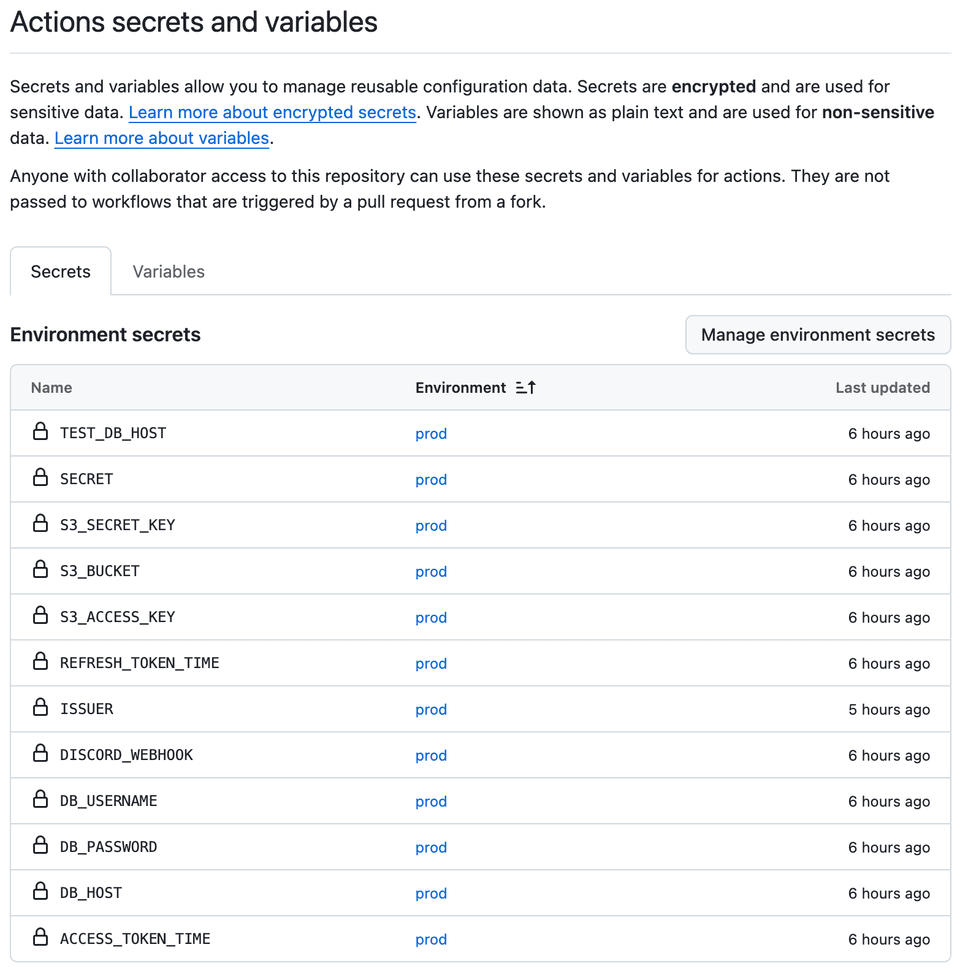
I created a new environment called prod in GitHub Actions because I use it for my production server. In the prod environment, I added all my environment variables as secrets and variables.
Here is an example of my workflow file for deployment:
docker-pull-and-run:
  runs-on: [ self-hosted, ec2 ]
  if: ${{ needs.docker-buildx-and-push.result == 'success' }}
  needs: [ docker-buildx-and-push ]
  environment: prod
  steps:
    - name: start deploy
      env:
        DB_HOST: ${{ secrets.DB_HOST }}
        DB_USERNAME: ${{ secrets.DB_USERNAME }}
        DB_PASSWORD: ${{ secrets.DB_PASSWORD }}
        DISCORD_WEBHOOK: ${{ secrets.DISCORD_WEBHOOK }}
        ISSUER: ${{ secrets.ISSUER }}
        SECRET: ${{ secrets.SECRET }}
        ACCESS_TOKEN_TIME: ${{ secrets.ACCESS_TOKEN_TIME }}
        REFRESH_TOKEN_TIME: ${{ secrets.REFRESH_TOKEN_TIME }}
        S3_ACCESS_KEY: ${{ secrets.S3_ACCESS_KEY }}
        S3_SECRET_KEY: ${{ secrets.S3_SECRET_KEY }}
        S3_BUCKET: ${{ secrets.S3_BUCKET }}
      run: |
        sh /home/ubuntu/deploy.sh
Also, since I use a self-hosted runner, I set some runner-specific environment variables as well. After I made these changes, my GitHub Actions workflow ran successfully. The variables were passed correctly, and my blue-green deployments worked without problems.
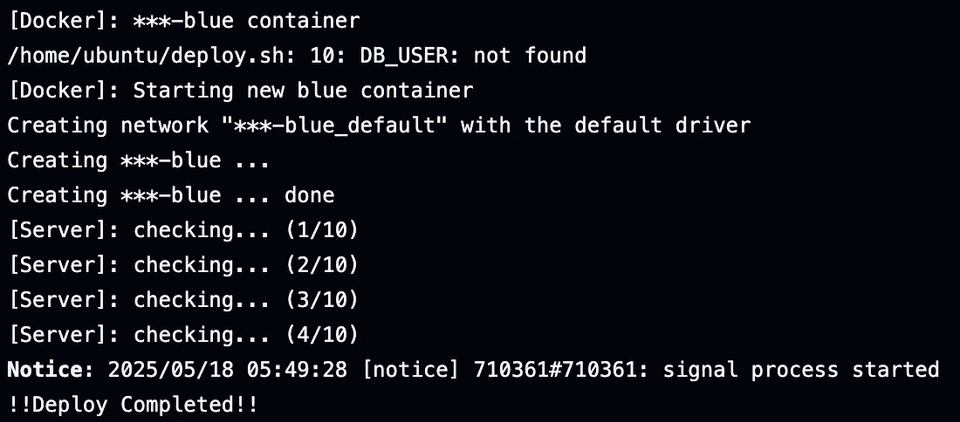
What I Got
-
Moving environment variables from
.envfile in EC2 to GitHub Actions secrets and variables made the deployment more secure. -
Setting up a dedicated environment in GitHub Actions helped manage production secrets better.
Things to Check
-
Double-check that all secrets/variables are added to the correct environment in GitHub Actions.
-
If you change environment variables or secrets, you need to update them both in the GitHub Actions settings and in your workflow file.
-
When using self-hosted runners, make sure that runner-specific variables are properly set, or things might not work as expected.